Native Mac workflow for stock photographers

The shoot ends. The second shift doesn’t.

Foverix turns RAW photo batches into reviewed, described, agency-ready packages for Shutterstock and Adobe Stock — inside one inspectable Mac workflow.

Checkout and download open at launch. Every value below is illustrative of the workflow, not a promise of agency results.
INTERLAKEN — 12 FRAMESRAF + JPEG · 19:41–19:52
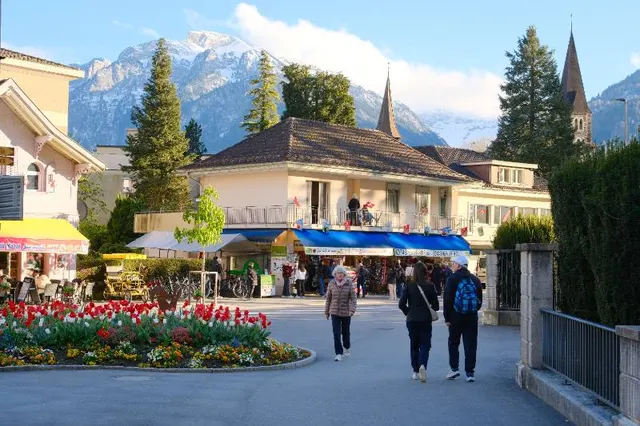
Alpine village street with church spire under golden evening light
IMG_1247.RAF26MB
0.91
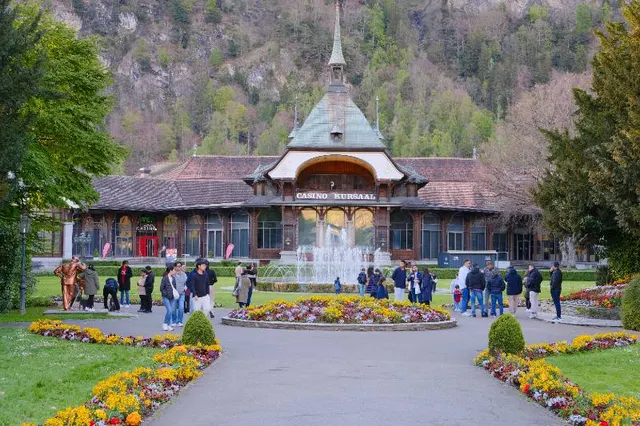
Casino building and flower garden, slightly tilted framing
IMG_1251.RAF25MB
0.42
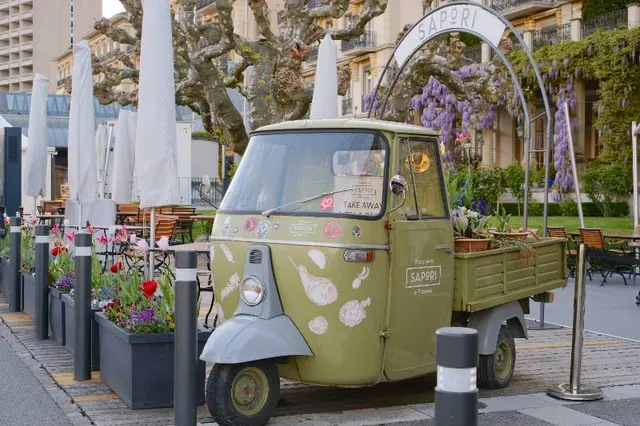
Three-wheel delivery vehicle parked outside a restaurant
IMG_1258.JPG11MB
0.71
HeroFunicular railway descending toward a lake at sunset
IMG_1263.RAF26MB
0.93
Lake promenade with swans, horizon tilted
IMG_1270.RAF25MB
0.38
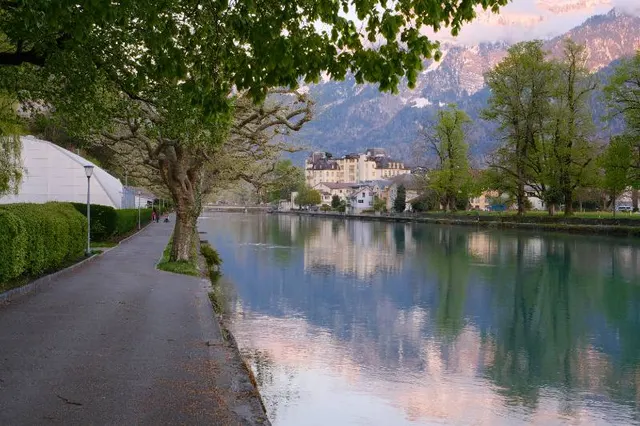
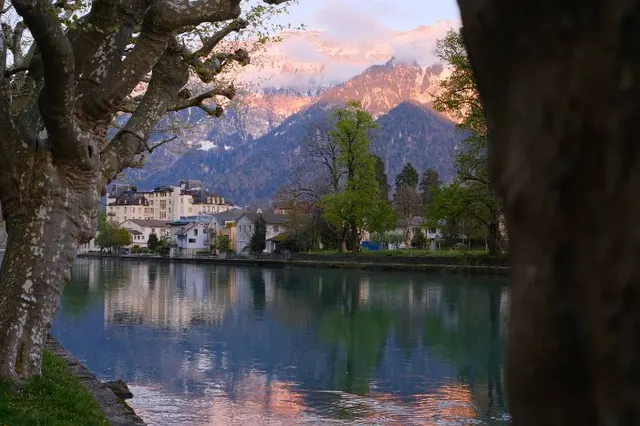
Mountain lake and town seen along a tree-lined path, first of a burst
IMG_1274.RAF26MB
0.84
HeroMountain lake and town framed between trees at sunset, burst hero
IMG_1275.RAF26MB
0.92
Turquoise alpine lake with paddle boats in late light
IMG_1281.RAF24MB
0.88
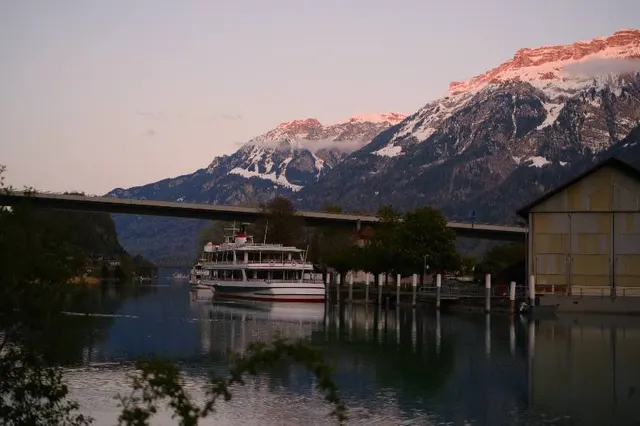
Passenger boat on a mountain lake beneath an evening sky
IMG_1284.RAF25MB
0.87
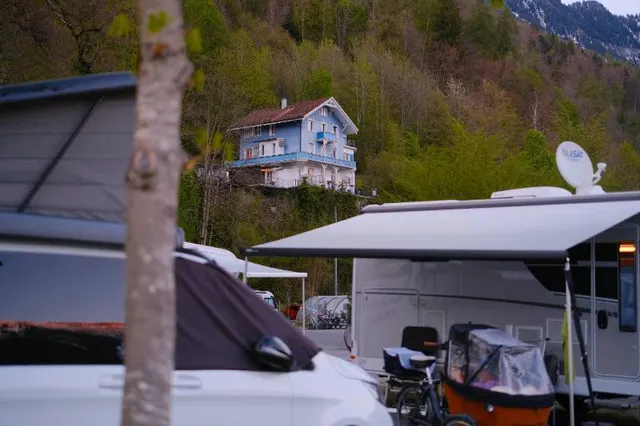
Hotel terrace and parked cars, cluttered composition
IMG_1289.JPG10MB
0.44
Church interior with wooden pews and warm window light
IMG_1293.RAF24MB
0.79
Lakefront flowers with paddle boats and mountains behind
IMG_1299.RAF25MB
0.83
IMG_1275.RAF — alpine lake, sunset, mountain town 8 of 12 accepted · 2 heroes

One connected workflow

Watch a batch become a package.

Seven stages, one inspectable canvas. Scroll — or jump to any stage. The story reads the same either way.

01 · Intake

The shoot arrives as it was shot.

Drop the folder — RAW and JPEG side by side, no JPEG-first detour. Filenames, formats, and sizes are visible before anything runs.

  • IMG_1247.RAFRAF26.1 MB
  • IMG_1258.JPGJPEG11.2 MB

02 · Curate

Signals appear. Weak frames step aside.

Technical, subject-focus, and composition scores with readable reasons. The gate suggests; you can override every call.

Technical94
Composition92

03 · Group

Near-duplicates collect into stacks.

Visual similarity and capture-time context gather bursts and near-identical frames before you spend words on them.

IMG_1274
IMG_1275
IMG_1284
IMG_1247
3-frame burst · ±2 s

04 · Series

A hero rises — your call stands.

Foverix suggests the strongest frame of each series from quality signals. One click changes it; metadata can propagate from the hero you choose.

0.84
Hero
0.92
0.87

05 · Describe

A first pass worth editing, not rewriting.

Titles and descriptions arrive grounded in capture time, GPS, and nearby-landmark context — fully editable, with agency limits in view.

Title · 62 / 200

Alpine lake at sunset framed by trees, Interlaken

Description

Evening light over a mountain lake town, seen through a stand of mature trees.

06 · Tag

Keywords assemble in selling order.

Ordered keyword chips, most relevant first, with Shutterstock and Adobe Stock counters watching the limits while you work.

01alpine lake02sunset03mountain town04interlaken05golden hour06travel
Shutterstock 10 / 50Adobe Stock 10 / 49

07 · Finalize

The contact sheet becomes a package.

Validated frames, agency CSVs, optional XMP sidecars, a FileZilla queue, and a README — one folder, ready for your upload route.

Interlaken_Summer_2026/
  • ▾ images/8 files
  • shutterstock_export.csvready
  • adobe_export.csvready
  • filezilla_queue.xmloptional
  • README.txtincluded

Try the review loop

Every decision stays inspectable.

A working miniature of the review loop, using real shoot photographs from this repository. Filter, select, read the reasons, move the hero, edit the words.
Illustrative values · pick a frame to inspect
Arrow keys do not apply; activate a frame to inspect it.
HeroFunicular railway descending toward a lake at sunset
IMG_1263.RAF0.93
0.93
Alpine village street with church spire under golden evening light
IMG_1247.RAF0.91
0.91
Casino building and flower garden, slightly tilted framing
IMG_1251.RAF0.42
0.42
Mountain lake and town framed between trees at sunset
IMG_1275.RAF0.92
0.92
Passenger boat on a mountain lake beneath an evening sky
IMG_1284.RAF0.87
0.87
Hotel terrace and parked cars, cluttered composition
IMG_1289.JPG0.44
0.44
Funicular railway descending toward a lake at sunset
IMG_1263.RAF · 26.0 MB · 19:44:12Accepted

Strong light, level horizon, clean subject separation.

Technical94
Subject focus89
Composition92

Marketing demo — no files leave this page, nothing is uploaded, scores and metadata are illustrative. In the app, every gate decision keeps its reason and can be overridden.

More than metadata

The workflow is the product.

Foverix is not an AI keyword generator. It is the whole second shift — cull, group, describe, package — made visible and overridable.

/ 01

Cull with signals you can read

Technical, subject-focus, and composition scores with reasons — not a single opaque number. Gates are presets you tune, and every rejection can be reversed.

/ 02

Group duplicates, keep the hero you choose

Near-duplicate detection and burst grouping cut the batch to its real size. Hero suggestions come from quality signals; manual choice always wins.

/ 03

Describe with place context, edit everything

Capture time, GPS, and nearby-landmark context inform titles, descriptions, and ordered keywords. Every field stays editable — singly or across the batch.

/ 04

Package for the agencies you actually use

Validate against Shutterstock and Adobe Stock rules, then build the submission folder: images, CSVs, sidecars, FileZilla queue, README.

Choose your processing path

Where the AI work happens is your call.

Foverix makes the processing mode visible per run. Cloud is a choice, never a hidden default.

Local

Supported models run on your Mac. For those operations, your images and metadata stay in your local workflow.

No per-image cloud credits

Bring your own key

Connect a supported AI provider with your own credentials. Required inputs go directly to the provider you configured — your terms, your account.

Provider terms apply

Managed AI

The convenience route: Foverix sends the relevant image data through the managed cloud path and meters it in credits. Explicit per run.

Uses managed-AI credits

No path claims your photos always stay on your Mac — that is true only for work done entirely on a supported local route. The marketing site itself uses no analytics, advertising pixels, third-party fonts, or tracking cookies. Read the full privacy policy →

The workflow, on film

Twenty-six seconds, card to package.

One batch, start to finish — folder in, curated picks, written metadata, and the submission folder at the end.

The film follows one batch through all seven stages. Plays muted — sound is in the player controls.WORKFLOW FILM · 26 S

The payoff

One folder, ready to send.

Foverix prepares the submission package — it does not upload for you, and no package guarantees agency acceptance. What you get is a clean, validated starting point and your own upload route.

  • Selected, validated images at full resolution
  • Shutterstock and Adobe Stock CSVs built from your reviewed metadata
  • Metadata embedded in clean re-rendered files — XMP sidecars stay beside your RAW originals
  • FileZilla queue and a README for the handoff
Interlaken_Summer_2026/
  • ▾ images/8 files
  • shutterstock_export.csvready
  • adobe_export.csvready
  • filezilla_queue.xmloptional
  • README.txtincluded
Validated8 of 8 frames pass agency field checks.

Launch catalog

Choose the way you work.

Checkout opens after live payment approval. Prices in USD; the first 200 lifetime seats carry the founder price.

Before you buy: Foverix 1.0 runs only on macOS 15 or later with Apple silicon (M-series). Intel Macs are not supported.

Free

Start with your own batches

$0

Every new install starts a 14-day trial of the full workflow — no card, no account — with 50 managed-AI images included. After that, Free continues at 100 images/month, 1 agency, and 1 batch at a time.

  • No payment details required
  • Review the workflow before upgrading
  • Monthly launch allowance
Available inside Foverix
Lifetime Local

Own the local workflow

$249 one time

Founder’s Lifetime is $199 through one non-removable $50 Lifetime discount, limited to 200 uses.

  • Local and BYOK processing
  • No managed-AI allowance included
  • Point updates included
Checkout opens at launch
Credits

Add managed processing

$9 / 1,000 images

Purchased from the account-linked action inside Foverix, not through an anonymous website checkout.

  • 1,000 managed-AI image credits
  • Local and BYOK work never consumes credits
  • Requires an eligible license
Buy inside Foverix

Questions, answered

Before you bring the next batch.

Your originals and the batch database live on your Mac. On a supported local processing path, image analysis and metadata generation also run locally. BYOK sends the required inputs to the provider you configured; Managed AI sends relevant image data through the managed cloud route. The mode is visible per run — no hidden cloud default.

No. Foverix validates your frames and builds the submission package — images, agency CSVs, optional sidecars, a FileZilla queue, and a README. Upload happens through your own contributor accounts and tools.

No — and no honest tool can. Foverix validates metadata against agency field rules and prepares clean packages; review decisions belong to the agencies.

JPEG, PNG, and TIFF, plus DNG, ARW, CR3, NEF, RAF, RW2, ORF, PEF, and SRW, with Apple ProRAW-aware handling. RAW files import directly — no JPEG-first workflow required.

Yes. Titles, descriptions, keywords, categories, and licensing classifications stay editable per frame or across the batch. You can add, remove, reorder, find-and-replace, or regenerate — the app treats AI output as a suggestion, not a verdict.

Local runs supported models on your Mac with no per-image cloud cost. BYOK uses your own provider credentials — inputs go to that provider under your terms. Managed AI is the metered convenience route through Foverix’s managed cloud path, measured in image credits.

They stay where you put them. Foverix reads your shoot folder and writes its own outputs — packages, sidecars, reports — to the output location you choose. Originals are not renamed, moved, or destructively edited.

Foverix 1.0 runs on macOS 15 or later with Apple silicon (M-series); Intel Macs are not supported. More than 16 GB of memory (RAM) is recommended: Macs with 16 GB or less run a reduced processing profile — single-pass captions, one caption request at a time — so accept/reject outcomes can differ. Local AI needs about 11 GB of free disk for its models; the guided setup checks for 12 GB free before downloading.

Built for the work after the shoot

The second shift, done by dinner.

Foverix is preparing for launch. Leave your address and you will hear the moment download and checkout open.